Proton Mail: Encrypted Email
Proton AGCommunication
4.58.65K Reviews
- Version
- 7.11.12
- Installs
- 10.00M
- Age Rating
- Everyone
Screenshots
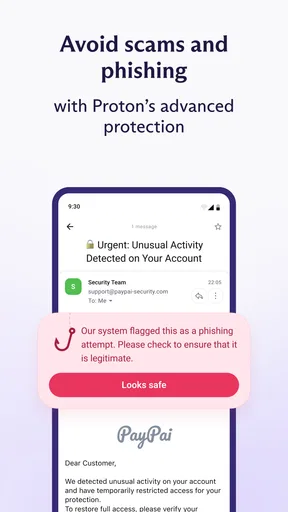
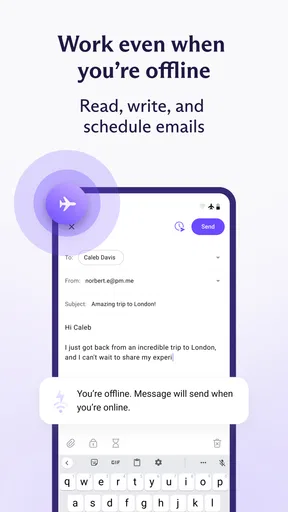
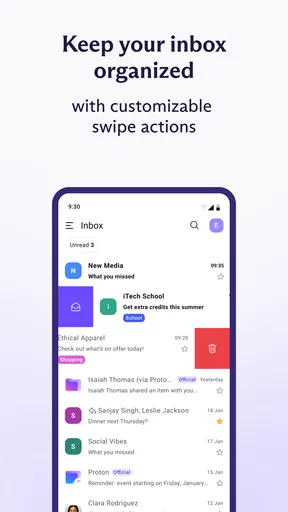
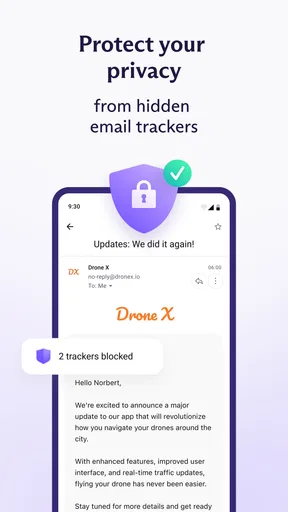
Our Review of Proton Mail: Encrypted Email
 Analysis by Appyee
I reach for a privacy-focused email app when a conversation feels too personal for an ordinary inbox, but I still need email to work like email. That balance is what makes Proton Mail interesting: it puts protected communication at the center without asking me to treat every message like a technical project. I’d consider it for everyday correspondence as well as more sensitive exchanges, though it helps to understand where its security benefits apply and where the people you email matter just as much.
What encryption changes in everyday use
End-to-end encryption is most useful when both sides can take advantage of it. Messages between Proton Mail users can be protected in a way that keeps their contents private from other parties, while communication with people using other email services may require a separate approach if you want comparable protection. I wouldn’t assume that every message sent from a secure mailbox is automatically private all the way to any recipient; I’d check the available sending options and make sure the recipient can open the message before relying on it for something sensitive.
That distinction is easy to overlook when switching from a familiar inbox. Email addresses outside Proton Mail remain important to the experience, but security depends on how a particular message is sent and received. For a close friend or colleague who also uses the service, encrypted correspondence can feel straightforward. For a landlord, shop, or office using a conventional address, I’d keep the message practical and avoid treating ordinary email as a secure channel for details that should not be exposed.
Useful routines for sensitive messages
The expiration option can help when I’m sharing information that should not remain available indefinitely. I’d use it for a temporary detail or a short-lived instruction, rather than as a substitute for choosing the right recipient. A disappearing message can still be seen while it is available, and it does not make a careless address choice safe. My practical habit would be to verify the recipient first, keep the message focused, and then choose an expiration period that suits the task.
For recurring private conversations, I’d also make security a habit instead of a last-minute setting. Turning on two-factor authentication, as the app supports, is a sensible step because it adds a check beyond the account password. I’d keep recovery information somewhere I can reach if I change phones, too. Strong protection is only helpful if I can still get into my account when a device is lost or replaced, so I would think about account access before an emergency rather than during one.
How it fits alongside a regular inbox
I would not necessarily move every old address and every mailing list on day one. If most of my messages are receipts, appointment reminders, and routine account notices, switching everything at once could create more sorting work than value. A gradual move makes more sense: start with the conversations where privacy matters, tell important contacts which address to use, and keep an eye on which services still send to the old inbox.
This is also where Proton Mail differs from the usual mainstream email choice. A conventional service may feel more convenient when all of a person’s contacts already use it or when their workflow depends on familiar integrations. Proton Mail’s appeal is the emphasis on encrypted communication and privacy; the trade-off is that a secure mailbox does not automatically change the habits or services of everyone around me. I’d choose it when that trade-off feels worthwhile, not because I expect it to remove every inconvenience from email.
Who is likely to appreciate it
I think it suits people who regularly discuss personal matters by email, want a dedicated private inbox, or are willing to invite close contacts into a more privacy-minded routine. It can also make sense as a separate address for correspondence I’d rather keep apart from shopping, newsletters, and automated notifications. That separation is a small but useful organizational move: it helps me decide which messages deserve attention without confusing a private conversation with a stream of routine mail.
On the other hand, someone who needs a highly integrated work setup, depends on a particular provider’s connected tools, or simply wants every contact to keep using the same address may prefer to stay with their current service. Proton Mail is still email, not a way to make non-email conversations private or to control how a recipient handles information after reading it. I’d skip it if I expected encryption to solve those wider problems by itself.
A realistic use case is arranging a sensitive family matter while traveling. I could use the app to write a concise message, double-check the recipient, and choose the appropriate protection for that exchange. If I need the other person to act on the message, I would make sure they know how to access it rather than assuming the extra security will be invisible. That little bit of coordination is a fair cost when the contents are more important than sending with no thought at all.
Choosing a plan without rushing
The app is free to start, and the paid options are available through in-app purchases. I’d begin with the free experience and notice whether storage, account needs, or other limits actually affect my routine before paying. The listed purchase range runs from $4.99 to $119.88 per item, but those figures can cover different purchase choices, so I would check the current in-app offer and billing terms that apply to my account rather than assume one price covers every plan.
Proton Mail is rated for Everyone, and Proton AG develops it. Its average rating is 4.3 from around 84,000 ratings, with about 8,000 written reviews and more than 10 million installs. Those figures suggest that it has found a broad audience, but they don’t tell me whether it fits my own contacts or habits. I’d judge it by whether the people I need to reach can use the protected messages and whether the app’s privacy-first approach feels natural day to day.
At its best, the app makes a deliberate choice about private email feel manageable. Its strongest case is not that every message needs extra protection, but that I can use a dedicated service when the contents deserve more care. The sensible approach is to try it with a few real conversations, learn how recipients handle protected messages, and decide from there whether it belongs at the center of my inbox or alongside another account.
If you’re anything like me, you’ve probably wondered how to keep your email communications private and secure. That curiosity led me to try out Proton Mail: Encrypted Email, an app that promises to make your email as safe as it can be. Let's dive into what makes this app stand out and whether it delivers on its promises.
First Impressions
When I first opened the Proton Mail app, I was met with a clean and organized interface. It’s not cluttered, and everything seems intuitively placed, which is a relief in the often chaotic digital world. Signing up was simple, and the app guides you through the process with ease. You’ll need to create a Proton Mail account, but don't worry, it's straightforward and painless.
Security Features
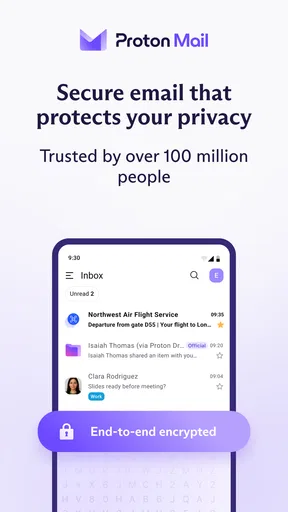
Now, let’s talk about what Proton Mail is really known for—encryption. The app uses end-to-end encryption, meaning only you and your recipient can read the emails. Not even Proton Mail itself can decipher your communications, which is pretty reassuring. Plus, they don’t track your IP address, so you get a bit of anonymity as well.
Another cool feature is the ability to set expiration times for your emails. It’s like Snapchat, but for emails. You can send a message that self-destructs after a certain period, which is perfect for sensitive information. I found this feature quite useful for sharing personal or financial details.
User Experience
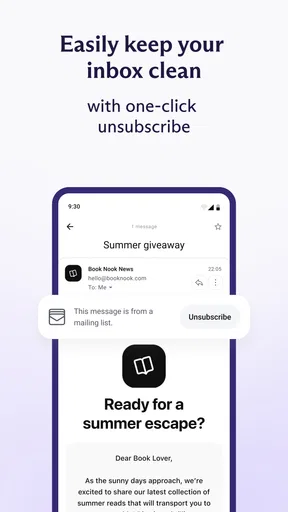
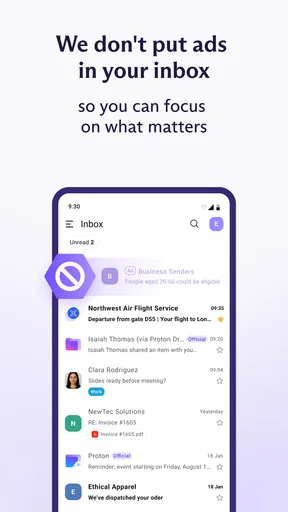
Using Proton Mail is a breeze. The app's design is minimalistic, which I personally love. You won’t find unnecessary features or ads cluttering your screen. Navigation is smooth, and everything loads quickly, even on my older device. The app supports multiple languages too, which is a nice touch if English isn’t your first language.
The app also supports two-factor authentication, adding an extra layer of security. I set mine up with Google Authenticator, and it worked flawlessly. It’s these little details that make the app feel well-thought-out and reliable.
Customization and Compatibility
Proton Mail offers plenty of customization options. You can adjust the look and feel of the app to your liking, which is always a plus. It also supports custom domains, so if you’re a business owner or just someone who likes having a personalized email address, you’re in luck.
Compatibility-wise, Proton Mail works on both Android and iOS, and there’s even a web version. I tried it on all platforms, and the experience was consistently smooth. The seamless integration across devices means you won’t miss an email, whether you’re at your desk or on the go.
Pricing and Plans
While Proton Mail offers a free version, which is quite generous, there are also paid plans with additional features like more storage and priority support. I started with the free plan and found it sufficient for personal use. However, if you’re a power user or need more storage, upgrading might be worth considering.
The pricing is competitive, and considering the level of privacy and features you get, it’s a fair deal. Plus, knowing that Proton Mail is based in Switzerland, where privacy laws are strict, adds an extra layer of trustworthiness.
Final Thoughts
Overall, I’m pretty impressed with Proton Mail: Encrypted Email. The app lives up to its promise of providing a secure and private email experience. It’s perfect for anyone concerned about online privacy or those who simply want a reliable email service without the clutter and ads. While the free version is great, the paid plans offer enough perks to consider if you need more from your email service.
So, if you’re looking for peace of mind when emailing, give Proton Mail a try. It’s one of those apps that once you start using it, you wonder how you ever managed without it. Happy emailing!
Privacy and Permissions
See what permissions an app requests and how it handles your data.
- Contacts
- read your contacts
- Camera
- take pictures and videos
- Other
- view network connections, full network access, run at startup, prevent device from sleeping
Verdict
Strengths of Proton Mail: Encrypted Email
- End-to-end encryption ensures privacy.
- User-friendly interface for easy navigation.
- Open-source code enhances transparency.
- Cross-platform availability increases accessibility.
- Free tier available with essential features.
Limitations of Proton Mail: Encrypted Email
- Limited storage on the free plan.
- No calendar integration in the free version.
- Occasional sync delays observed.
- Customization options are limited.
- Advanced features require a paid plan.
Other Releases by Proton AG
View All
Proton VPN: Secure & Fast VPN
Tools4.7

Proton Pass: Password Manager
Productivity4.8

Lumo by Proton
Productivity3.7
Similar Picks in This Category
View All
Google Messages
Google LLC4.6

Gmail
Google LLC4.1

Google Meet
Google LLC4.4

Google Chrome
Google LLC4.1

WhatsApp Messenger
WhatsApp LLC4.6

Carrier Services
Google LLC4.2
Frequently Asked Questions
What is Proton Mail and how does it ensure email security?
Proton Mail is an encrypted email service designed to protect user privacy and data. It offers end-to-end encryption, meaning no one else can read your emails, not even Proton Mail. Additionally, it uses zero-access encryption for inbox data, ensuring that sensitive information remains confidential.
How user-friendly is Proton Mail for beginners?
Proton Mail is designed with an intuitive interface that caters to both beginners and advanced users. The setup process is straightforward, with clear instructions to guide you through account creation. Its clean, simple design makes navigating through emails and features easy, even for those new to encrypted email services.
Is Proton Mail available on multiple devices and platforms?
Yes, Proton Mail is accessible on various devices and platforms. It has dedicated apps for both Android and iOS, as well as a web version accessible from any browser. This ensures users can access their emails securely across all their devices, maintaining privacy without sacrificing convenience.
What are the limitations of Proton Mail's free version?
Proton Mail offers a free version with certain limitations. Users receive a limited amount of storage and can only send a restricted number of emails per day. While the free tier includes essential features like encryption, additional storage and advanced features require a paid subscription.
Can Proton Mail integrate with other email services?
Proton Mail is primarily designed as a standalone encrypted email service, so it doesn't natively integrate with other email providers like Gmail or Outlook. However, users can import contacts and emails from other services using Proton Mail's import-export tool, facilitating a smooth transition.
